Goniometer measures joint range of motion on iPhone, iPad and Android
Goniometer is a joint range-of-motion (ROM) app for physiotherapists and healthcare professionals. It measures joint angles with the phone’s motion sensor (IMU), an angle dial, or three points on a photo. It runs on iPhone, iPad, Android and the web. Free.


How to measure joint range of motion
Motion sensor (IMU)
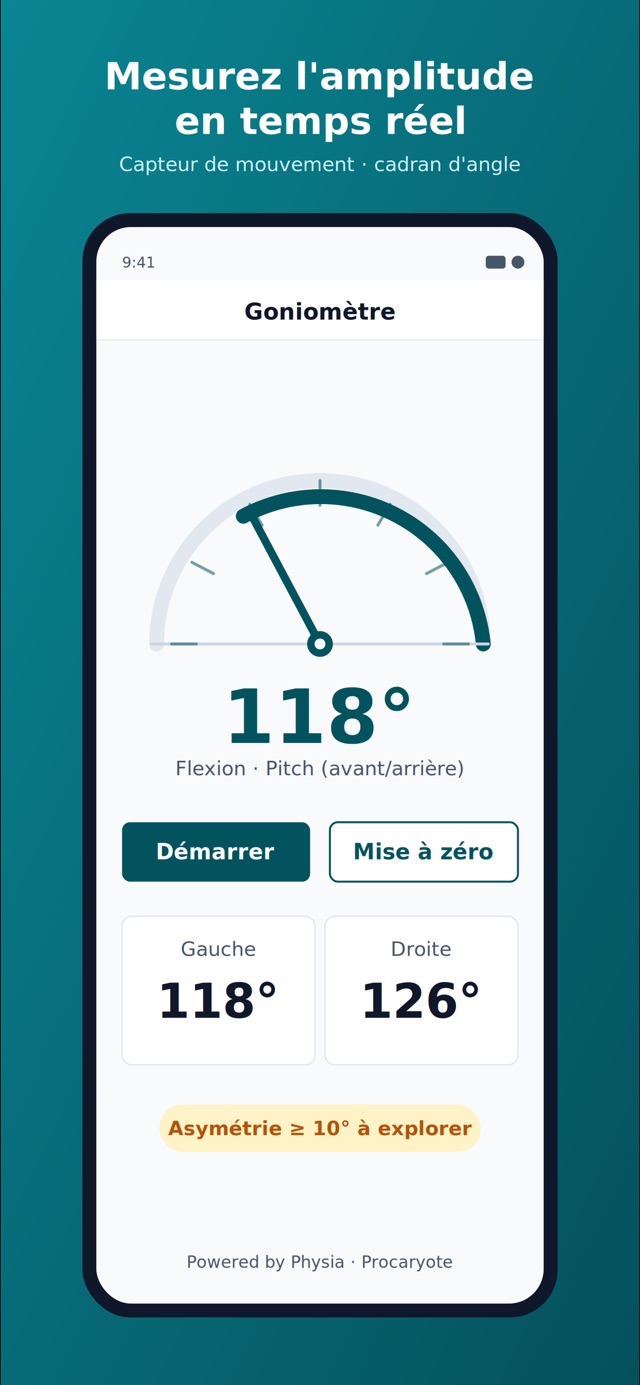
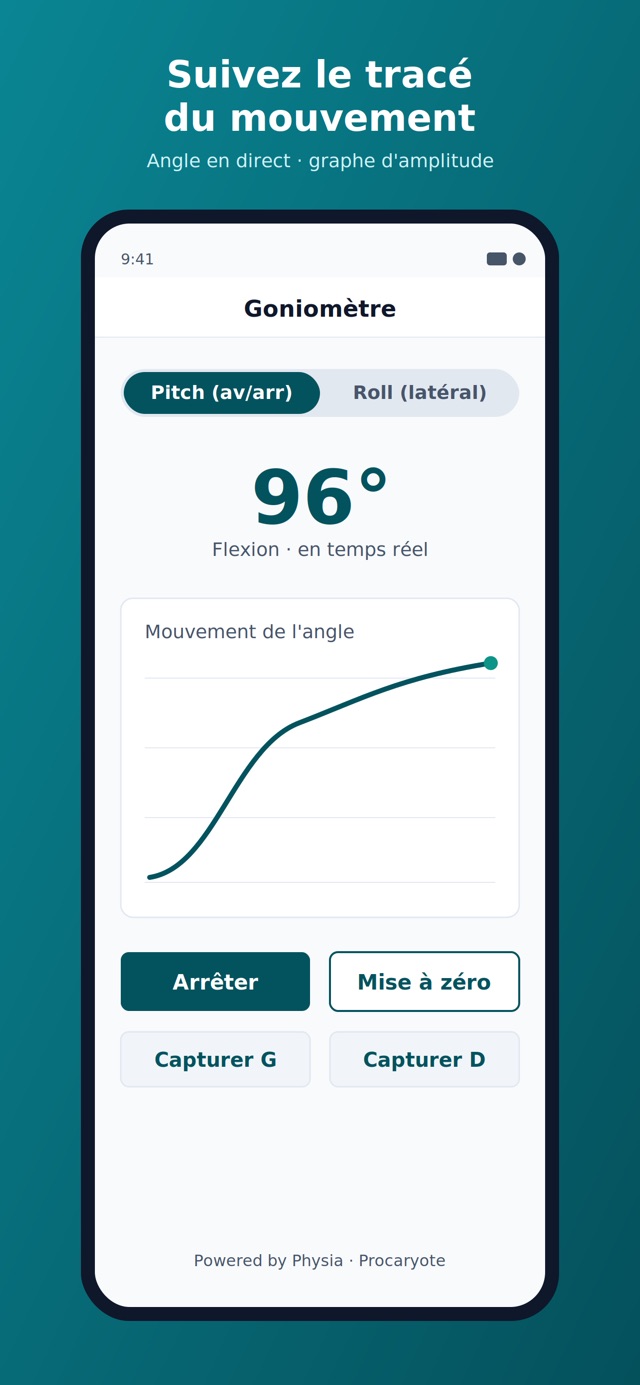
Lay the iPhone, iPad or Android phone against the body segment. The angle updates live, with its trace. Set zero (tare) in the starting position, then capture left and right.
Angle dial
A large, centred reading of the joint angle during the consultation.
Measure on a photo
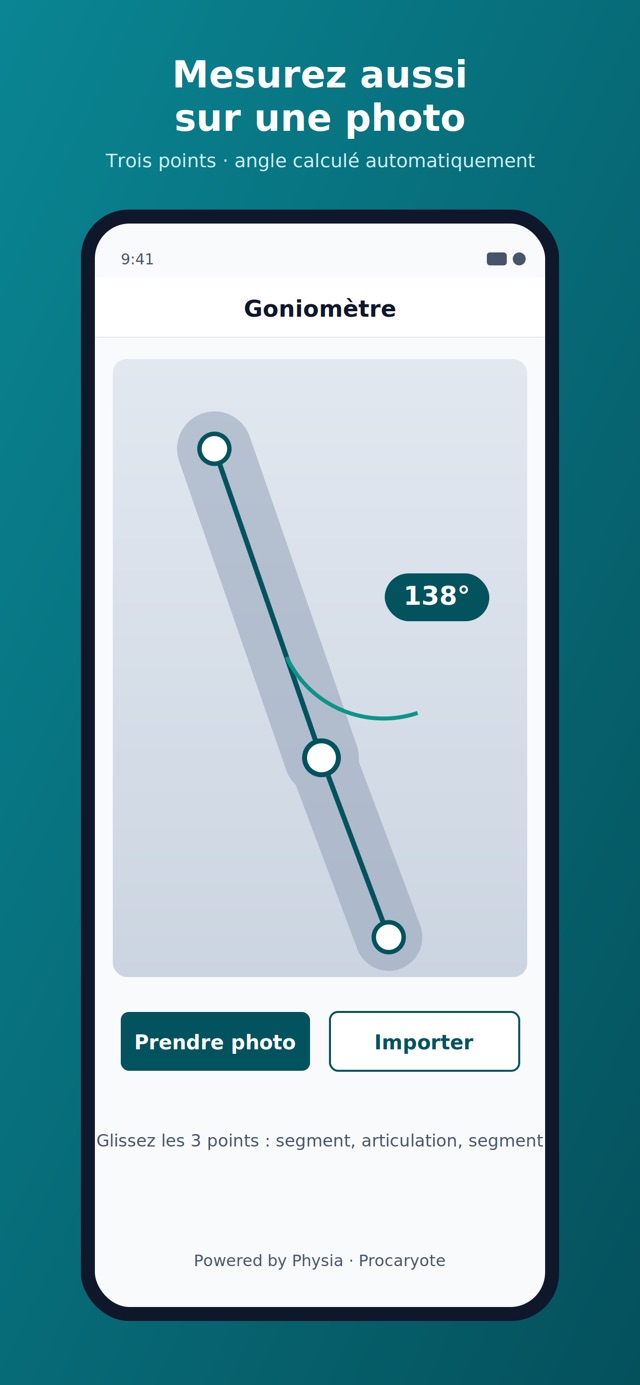
Place three points (segment, joint, segment). The angle is computed on the image.
What the app does
Set-to-zero (tare) and live measurement
The phone’s inertial sensor (IMU) gives the movement angle. You set zero at the starting position.
Left / right comparison
Record both sides. An asymmetry of 10° or more is flagged automatically.
Angle movement trace
The angle graph during the movement documents mobility, not only the end value.
Who it is for
Physiotherapists (baseline, mobility follow-up, rehab), physicians and rheumatologists (joint assessment), occupational therapists and osteopaths (functional measures). The app does not replace clinical judgement.
Which joints can you measure
Knee, shoulder, hip, ankle, elbow, wrist, and other joints. Photo mode computes any angle defined by three points. IMU mode measures the segment you place the device against.
Frequently asked questions
how to measure joint range of motion with an iPhone
Open Goniometer on the iPhone. Lay the phone against the segment, set zero (tare) in the starting position, then read the angle in real time. You can also measure on a photo by placing three points (segment, joint, segment). The app also runs on iPad, Android and the web.
digital goniometer accuracy
Goniometer computes the angle from the phone’s IMU (accelerometer / gyroscope) or from three points on a photo. It is a measurement-aid tool; it does not replace a certified medical device. Repeatability depends on placing the device on the same landmarks and setting zero.
which joints can you measure
You can measure the knee, shoulder, hip, ankle, elbow, wrist and other joints. Photo mode accepts any three-point angle. Left/right comparison flags an asymmetry of 10° or more.
goniometer app for physiotherapists iPhone
Goniometer (App Store: Goniometer – Range; Google Play: Goniometer: Range of Motion) is a goniometry app for physiotherapists. It measures joint ROM with the IMU or a photo, compares left and right, and runs on iPhone, iPad, Android and the web.
how to measure a joint angle on a photo
In Goniometer, open photo measurement and place three points (segment, joint, segment). The angle is computed automatically. Use this when laying the phone on the segment is not practical.
Goniometer is a measurement-aid tool for healthcare professionals. It does not replace clinical judgement or a certified medical device.